Reports
A Report turns a channel’s or project’s test history into a short, readable analysis. Instead of scanning every result by hand, you get one page that summarises overall health, lists the concrete issues found, and proposes fixes.
Generate a report
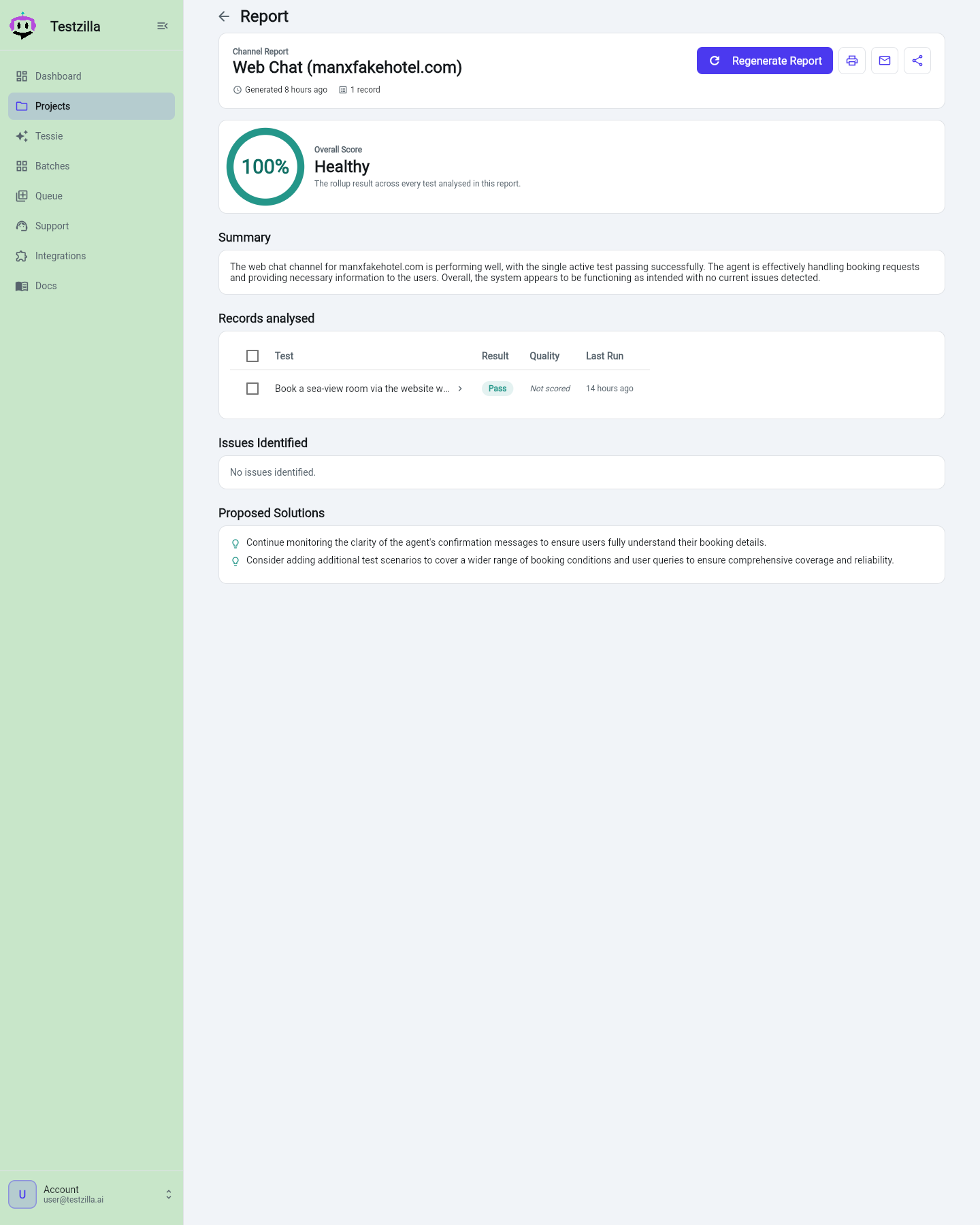
Section titled “Generate a report”Open a Channel or a Project page and click the Report button. Testzilla gathers the latest result for each active test in that scope, sends the records to an analysis model, and renders the report.
The report page has four parts:
- Summary — a 2-4 sentence overview of how healthy the channel or project is right now.
- Records analysed — a count of the test records the report is based on, plus a table of the underlying tests so you can see exactly what was included.
- Issues — concrete problems identified across the tests (empty if everything looks good), with likely root causes.
- Proposed solutions — specific, actionable suggestions to improve reliability and quality.
When results in the scope carry a reconciled transcript, the analysis also receives a reconciliation digest: a summary of where the tester-side and agent-side transcripts disagreed (for voice, likely mishearings) and what tool calls the agent made. Those signals feed the Issues and Proposed solutions sections, so a pattern like a recurring mishearing or a failing tool call surfaces in the report, not just in individual results.
Agent Prompt Improvements
Section titled “Agent Prompt Improvements”When a channel has an Agent System Prompt set — the system prompt of the agent you are testing — the channel report adds an extra section: Agent Prompt Improvements.
These compare what the agent’s prompt says it should do against what the agent actually did in the test transcripts, and propose concrete edits to the agent’s own prompt — for example, “your prompt says X; in the transcript the agent did Y; consider Z.” They are framed strictly as suggestions: Testzilla never edits your prompt, and the suggestions are based only on evidence in the transcripts. If the agent’s behaviour already matches its prompt, the section is short or absent.
Re-running a report
Section titled “Re-running a report”A freshly generated report is cached for about an hour, so reopening the page is instant and does not re-run the analysis. To force a fresh analysis after new test runs, use the Generate / Regenerate button on the report page — it always re-analyses the current results.
Channel vs project scope
Section titled “Channel vs project scope”- A channel report covers every active test on that one channel.
- A project report covers every active test across all of the project’s channels, giving you a roll-up view of the whole project’s quality.